Welcome! You probably landed here as apart of our announcements for moving away from Discord, or by clicking the link mumble.darkstorm.cc and getting redirected over here. That URL is just the hostname for the server.
Getting set up for Mumble is actually quicker than making a Discord account. Here’s the steps:
- Download a mumble client from their official site
- Install the program just like you would any other program
- Open mumble
Here’s what the UI Looks like:
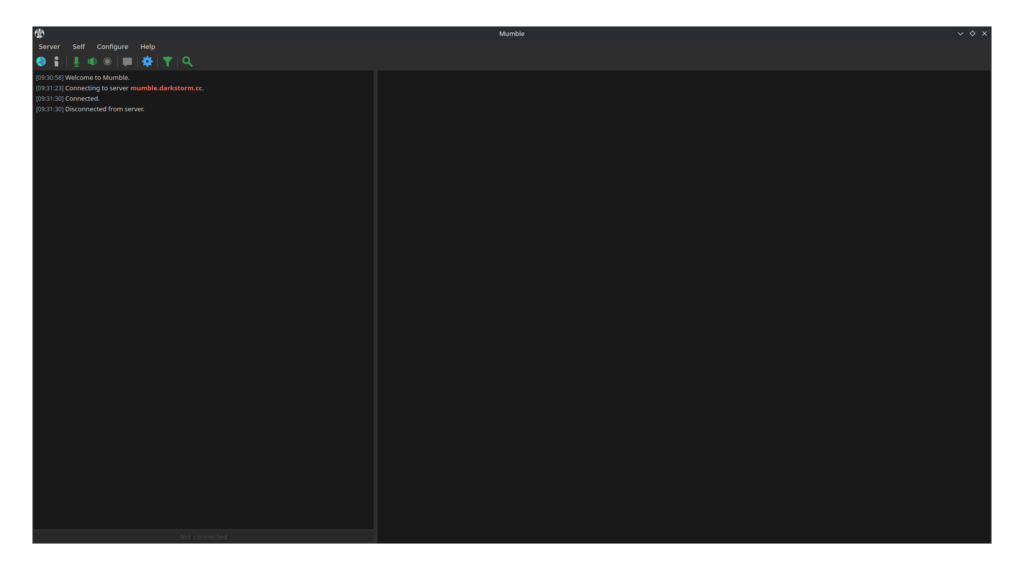
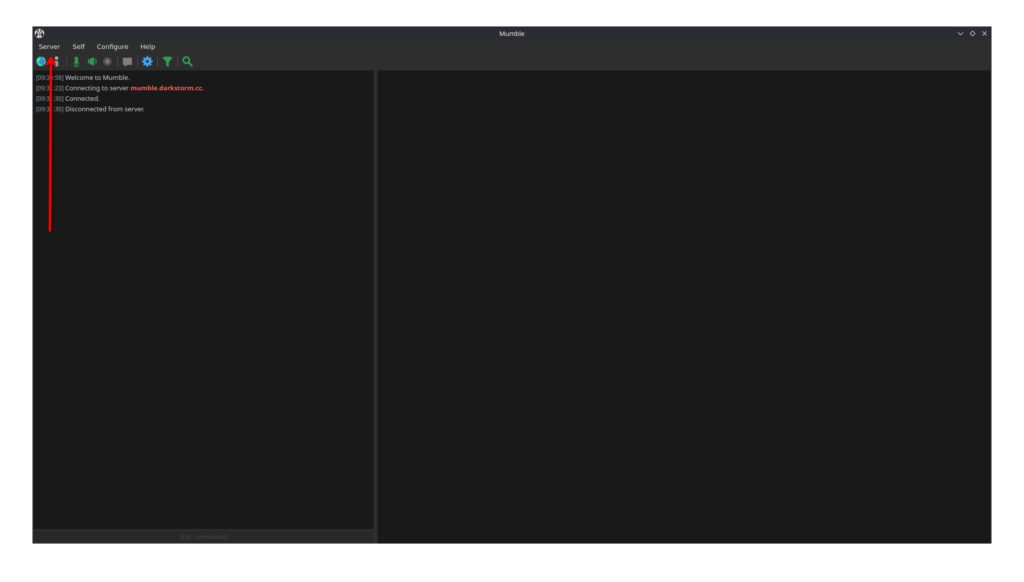
It might prompt you to auto connect, if not click server in the top left:
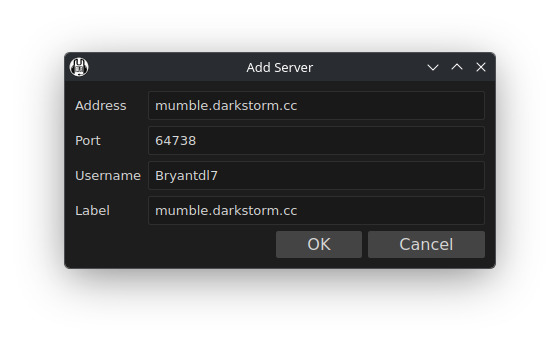
Click add new server, and fill in the hostname as mumble.darkstorm.cc:
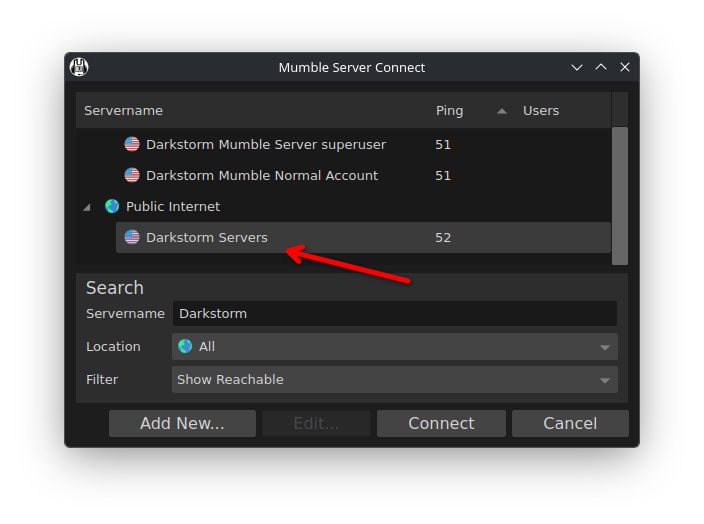
You can also just search for Darkstorm Servers in the public server listing:
Mumble is a perfect solution for Discord-style voice calls, but if you’re looking for a Discord style text chat we have one of those too – that’s on Telegram. The invite link for that is https://t.me/DarkstormServers